Kids Activity Ideas
- 4.2
- Rating
- 10.00K
- Installs
- Free
- Price

 Analysis by App-foxy
When I need a quick idea for keeping a child busy without immediately reaching for a screen, I usually want something more practical than a long list of vague suggestions. Kids Activity Ideas, developed by Dev Visions, aims to solve that exact problem by gathering play prompts for children from infancy through age ten. After spending time with it, my view is straightforward: it is most useful as an idea bank for parents who want a starting point, not as a complete parenting program or a substitute for planning an activity around a particular child.
The app is free to download, with optional in-app purchases ranging from $1.99 to $19.99 per item. It has a 4.2 average from around 28 ratings and has passed 10K installs, which gives it a modest but encouraging presence among parenting apps. It is rated for Everyone, runs on Android 7.0 and later, and the current release is version 1.2.1. Those details matter because the app is aimed at a broad household audience: parents, grandparents, babysitters, and anyone who regularly needs age-appropriate play ideas without spending a long time searching.
What the app is really good at
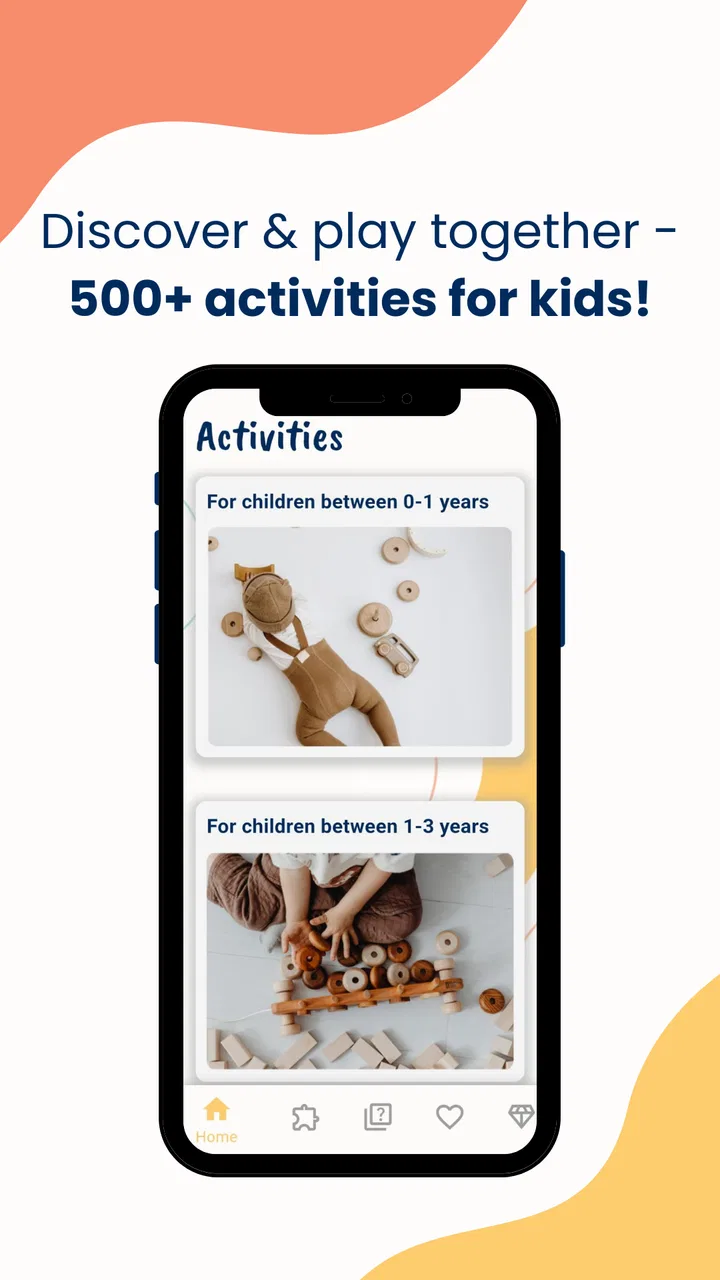
The strongest part of Kids Activity Ideas is its breadth. The collection contains more than 500 play ideas and activities, covering children between zero and ten years old. That range makes the app less like a narrow toddler tool and more like a shared cupboard of suggestions that can stay useful as a family changes. A parent with a baby and an older child can look in the same place, while a caregiver can open it without needing to know a specialist vocabulary for child development.
You May Also Like

 Blood Strike: 2.5 Anniversary
Blood Strike’s Loadouts Turn Every Drop Into a Tactical Gamble
A close look at Blood Strike’s custom loadouts: how fast access to signature weapons reshapes its battle royale rhythm, rewards preparation, and narrows the gap between fights.

 Pandora - Music & Podcasts
Pandora’s Music Is Easy to Start, but Harder to Recover
Pandora’s strength is its low-effort path from a seed to a station. Its weak spot is how much confidence it asks you to place in connection, setup, and quiet recovery.

 8 Ball Pool
 Is Built on Rivalries, Rematches, and Routine
A close look at the rivalries, rematches, shared routines, and unanswered safety questions that turn a quick pool match into a persistent mobile community.

 Samsung Music
’s Quiet Strength Is Playing What You Already Own
Its reach comes less from spectacle than from dependable access to a personal library. That simplicity is both the app’s strongest retention engine and its ceiling.

 AccuWeather: Weather Radar
AccuWeather Review: A Quick, Clear Forecast for Everyday Decisions
For everyday plans, the best forecast is the one you can understand quickly. AccuWeather makes rain timing, radar, and local conditions easy to act on, with a few trade-offs.

 Hill Climb Racing
Why Hill Climb Racing Still Turns Crashes Into One More Run
A tiny car, a bumpy hill and one more upgrade: Hill Climb Racing keeps resurfacing because its simple chaos makes every near-miss feel personal.
More From Our News Desk



I found the broad age span particularly valuable because children in the same home rarely need the same kind of stimulation. A baby may need a simple sensory interaction, while a preschooler wants to move, imitate, make something, or solve a small challenge. An older child may reject anything that feels too young. Having activities gathered under one parenting-focused app makes it easier to switch direction when the first idea is unsuitable.
The app’s real strength is not that every suggestion will be perfect. No activity library can predict a child’s mood, available space, attention span, or tolerance for mess. Its value is that it reduces the blank-page problem. Instead of asking, “What can we do now?” and opening a general search engine, I can begin with a purpose: quiet play, movement, a rainy-day distraction, or something to fill a short gap before dinner.
That distinction is important. I would not treat the app as a timetable that tells me how to structure an entire day. I see it as a prompt generator. The most effective way to use it is to choose an idea, inspect it through the lens of the child in front of me, and then simplify or expand it. A two-year-old may need a shorter version of an activity intended for older children, while a ten-year-old may enjoy taking ownership and changing the rules.
Useful for the awkward spaces in a normal day
The everyday use case is easy to imagine. It is late afternoon, one child is restless, dinner is not ready, and the usual toys have lost their appeal. I can open the app, scan for an activity that fits the available time, and avoid committing to something that requires a full afternoon of preparation. Even if the chosen suggestion needs adapting, it gives the moment a direction.
That can also help during less predictable situations. A babysitter may need an idea that does not depend on knowing the child’s whole routine. A grandparent may want to play but feel unsure whether an activity is suitable for a particular age. A parent working from home may use an idea as a short, clearly bounded invitation rather than promising unlimited entertainment.
One practical tip is to browse before the difficult moment arrives. Looking through the collection while the child is calm lets me mentally separate activities into three groups: those that need preparation, those that can begin immediately, and those that require close adult involvement. This small bit of preparation makes the app more useful because I am not trying to evaluate every suggestion while also dealing with a bored or frustrated child.
Another useful workflow is to keep the child’s energy level in mind rather than relying only on age. Age is a helpful starting point, but it does not tell me whether a child needs to move, concentrate, talk, or decompress. After a busy day, a quiet invitation may work better than an energetic game. On a wet weekend, the opposite may be true. The app becomes more effective when I use its ideas as ingredients instead of instructions.
More than a list, but not a complete activity planner
The large collection gives the app a clear advantage over asking a search engine for “things to do with kids.” General searches often return highly polished projects, sponsored content, or ideas that assume a large supply cupboard. A dedicated activity app keeps the purpose visible and makes browsing feel more focused. I am looking for play ideas, not a mixture of articles, videos, products, and unrelated advice.
At the same time, I would not assume that a large number of entries automatically means a perfect match for every family. Quantity can create its own friction. When I have only a few minutes, too many possibilities can make choosing harder unless I approach the collection with a specific need. The app works best when I decide what constraint matters first: the child’s age, the time available, the desired energy level, or how much setup I am willing to tolerate.
This is where a simple parent-made system helps. I can mentally label an activity as “instant,” “needs a little preparation,” or “save for a planned afternoon.” I can also note whether it suits one child or a group. That second distinction is easy to overlook. An idea that works beautifully with one curious child may become chaotic with siblings, while an activity designed for several children may feel flat when offered to a child who wants individual attention.
The best results come from treating each suggestion as a flexible starting point rather than a script. That approach protects the app from one of the common weaknesses of activity libraries: an idea may sound appealing in theory but fail because the child is tired, the room is small, or the household does not have the expected materials. Adapting is not a sign that the app has failed; it is part of using this kind of tool well.
The limitation parents should understand
The main weakness is that an activity collection cannot replace context. A parent still has to judge safety, supervision, mess, noise, and whether the child is ready for the challenge. The broad age range is convenient, but it also means that an age label should never be treated as a guarantee that an idea will suit every child. Development is uneven, and children can be advanced in one area while needing a simpler approach in another.
I also think this app may feel less satisfying to parents who want detailed guidance around learning goals. If the priority is a structured early-learning curriculum, a developmental tracker, or step-by-step instruction for a particular skill, a more specialized parenting resource may be the better choice. Kids Activity Ideas is centered on finding things to do, not on measuring progress or building a formal lesson plan.
There is also a trade-off between convenience and preparation. Some activities can probably be started quickly, but others may require materials, space, or an adult who is ready to participate. I would avoid opening the app and promising a child that the first idea will happen immediately. A better habit is to preview the suggestion, check what is available, and then present it as an invitation. That prevents disappointment when a promising activity is not practical at that moment.
Parents should also think about supervision rather than assuming that an app designed for children’s activities makes an activity automatically independent. The app is a source of ideas for adults to offer; it is not a safety certification. For babies and younger children especially, I would stay close, remove unsuitable materials, and adjust the activity to the child’s abilities. That extra judgment is essential, regardless of how simple an idea appears.
Who will get the most from it
I would recommend Kids Activity Ideas most strongly to parents who regularly run out of inspiration. It is a good fit for families that want low-pressure play prompts, especially when the children’s ages vary or when the adults in the household share caregiving duties. The broad coverage from babies to older children makes it more useful over time than an app aimed at only one narrow stage.
It may also suit people who prefer active involvement over handing a child a finished digital experience. The app is not the entertainment itself; it helps an adult create an offline moment. That makes it appealing for rainy afternoons, school breaks, waiting periods, sibling play, or those short stretches when a child needs a change of activity but the parent does not want to invent one from scratch.
Grandparents and babysitters are another strong audience. They may know the child well but still appreciate a prompt when the usual routine has run out. In that situation, the app’s broad approach is helpful because it does not require the caregiver to build a complete program. One suitable idea can be enough to restart play.
Families with limited storage or a preference for using ordinary household resources may appreciate the concept, but they should still preview activities rather than assume every suggestion will be resource-free. The app is most convenient when the adult is comfortable improvising. If a specific material is unavailable, the question becomes whether an equivalent object can be used safely or whether the idea should be skipped.
Who should choose something else
I would look elsewhere if I needed a highly organized daily schedule, printable teaching materials, or expert-led developmental instruction. The app’s appeal is its variety and accessibility, not its role as a complete educational system. Parents who want progress tracking, detailed explanations of developmental milestones, or a tightly sequenced curriculum will probably be happier with a specialist tool.
It may also be a poor match for someone who dislikes browsing. A large library is helpful when I enjoy choosing and adapting, but it can feel less direct if I want one guaranteed activity with exact materials, timing, and instructions. In that case, a curated activity book, a focused craft app, or a video-led resource may provide a clearer path.
The optional purchases are another point to consider. The app is free, but individual in-app items cost between $1.99 and $19.99. I would approach those purchases carefully and decide whether they add enough value to justify the cost for my household. The free entry point makes it easy to test the basic experience first, which is the sensible route before spending anything.
How I would use it in a family routine
My preferred approach would be to use the app in three stages. First, I would browse at a quiet time and identify a handful of ideas suited to the child’s current interests. Second, I would check practical details before suggesting one: available space, adult attention, materials, likely noise, and how easily the activity can end. Third, I would offer the idea with room for the child to change it.
That final step matters more than it sounds. Children often turn a simple prompt into a different game, and that is not necessarily a problem. If the app gives them a starting point for pretending, building, moving, or exploring, the activity can become more engaging when the child adds rules. I would resist correcting every variation unless safety or another person’s wellbeing is involved.
For siblings, I would choose activities with adjustable roles. One child might be the builder, another the tester, and another the storyteller. If an idea is better suited to one child, I would avoid presenting it as a competition. The app can support shared play, but the adult still needs to shape the invitation so that an age difference does not turn into frustration.
For a baby or very young child, I would make the activity shorter and keep the environment simple. For an older child, I would offer more control and ask how they would modify the idea. This is one of the app’s quiet advantages: the same general prompt can become a sensory moment for a baby, imaginative play for a preschooler, or a design challenge for an older child, provided the adult adjusts the expectations.
My final assessment
Kids Activity Ideas earns its place as a practical parenting companion because it tackles a real, ordinary problem: adults want to play with children but do not always have a fresh idea ready. Dev Visions has positioned it as a broad activity resource rather than a narrow learning product, and that is the right way to judge it. Its usefulness comes from variety, age coverage, and the ability to turn a stalled moment into a possible plan.
My recommendation is positive, with one condition: use it actively rather than passively. Preview ideas, adapt them to the child, and keep supervision and household realities in view. The app will not remove the need for parental judgment, and it is not the best option for families seeking a structured curriculum or detailed developmental guidance. But for a parent who wants a dependable source of offline play prompts, it offers a convenient place to begin.
Because it is free to start, rated for Everyone, and compatible with Android 7.0 and later, it is easy to try without making a major commitment. I would especially suggest it to families with children at different ages, caregivers who need occasional inspiration, and parents who prefer creating shared activities instead of relying on another screen for entertainment. For those households, its greatest strength is simple: it helps turn “I don’t know what to do” into a manageable next idea.
FAQs for Kids Activity Ideas
01What is Kids Activity Ideas, and who is it designed for?
Kids Activity Ideas is an app that provides parents, caregivers, and educators with suggestions for entertaining and educational activities for children. Its ideas may include crafts, indoor games, outdoor play, learning exercises, and family activities. It is most useful for adults looking for age-appropriate inspiration, although children should always participate with suitable supervision.
02Does Kids Activity Ideas work for different age groups?
The app is intended to offer activity inspiration for children at various stages of development, but the suitability of each suggestion can differ considerably. Before starting an activity, check its recommended age, difficulty, required materials, and potential risks. Younger children may need simplified instructions, while older children may enjoy more independent or challenging projects.
03Does the app require an internet connection to view activity ideas?
Some sections of Kids Activity Ideas may require an internet connection, particularly when content, images, updates, or external resources are loaded online. Availability can depend on the version installed and the device being used. If you plan activities away from home, it is sensible to open or save the relevant ideas beforehand rather than relying entirely on mobile data or Wi-Fi.
04Are the activities safe for children to complete independently?
Not every activity should be completed without adult supervision. Suggestions involving scissors, small parts, cooking, water, outdoor environments, household objects, or craft materials may present risks, especially for younger children. Read the instructions carefully, prepare the space in advance, and remain nearby whenever an activity requires tools, heat, chemicals, or close physical assistance.
05Is Kids Activity Ideas free to download, and are there any additional costs?
The download and available features may depend on the platform, app version, and developer’s current pricing model. Some content may be free, while additional activities, premium sections, advertising removal, or optional subscriptions could involve payment. Check the Google Play Store or Apple App Store listing before downloading and review any in-app purchase details carefully.
Pros
- Offers creative activities to keep children engaged away from screens.
- Ideas are suitable for different ages and family settings.
- Activities often use simple materials found at home.
- Helpful for parents planning crafts
- games
- and learning time.
- Easy to browse when you need quick inspiration.
Cons
- Some suggestions may require adult supervision or preparation.
- Activity quality and detail can vary between different ideas.
- Not every activity will suit children with different abilities.
- Certain projects may create mess or require extra cleanup.
- Limited value if you are looking for structured lesson plans.

Kids Activity Ideas
Gallery